
Yoco vs iKhokha for Restaurants: Which Payment Integration is Right for You?
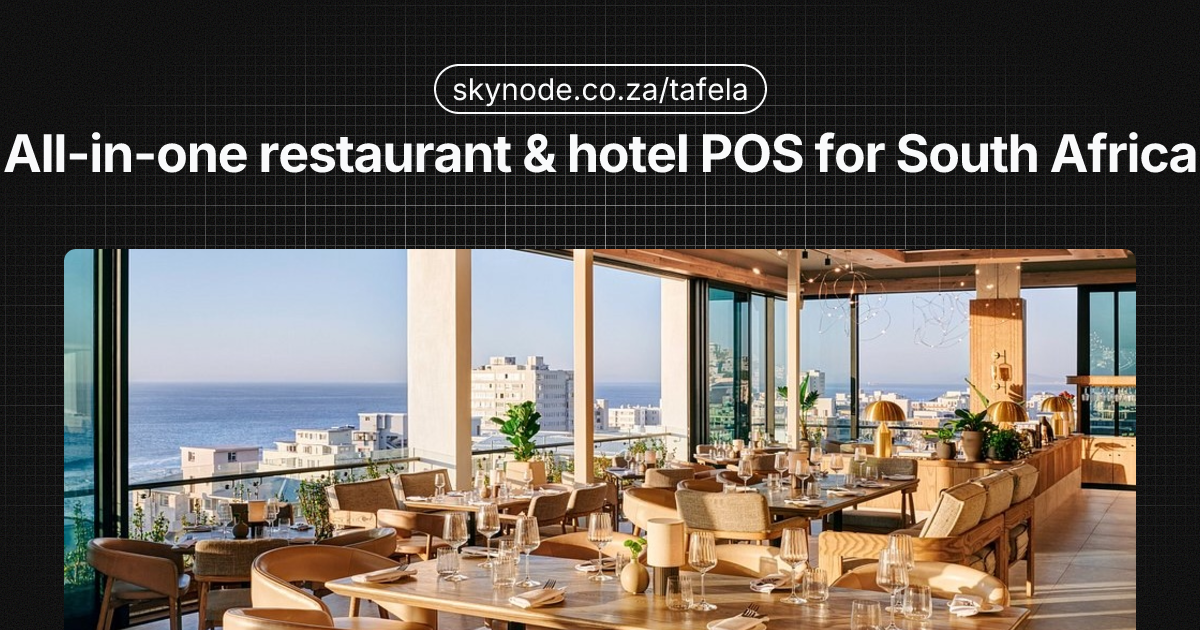
If you’re running a restaurant in South Africa, accepting card payments isn’t optional anymore. Digital payments are growing rapidly — cash is still dominant in many townships and informal settings, but it’s declining. Customers expect to tap, insert, or pay with their phone. Two names dominate the SME payment space: Yoco and iKhokha. So when you’re choosing the best card machine for restaurants in South Africa, the real question is: Yoco vs iKhokha for restaurants — which is better for your business?
This guide gives you a fair, detailed comparison: company background, hardware and pricing, restaurant-specific features, and a clear decision framework. We’ll also show you why the best answer might be “neither exclusively” — and how a POS that integrates both (plus PayShap, Ozow, SnapScan, and Capitec Pay) can remove the either/or problem entirely.
Whether you’re opening your first sit-down spot, scaling a takeaway, or adding a second till to handle queues, the right payment partner affects how fast you get paid, how much you keep in fees, and whether you can offer the payment methods your customers actually use. We’ve kept the comparison balanced: both providers are serious players in the South African market, and the right choice depends on your size, budget, and feature needs.
Yoco Overview
Yoco is a Cape Town–based fintech founded in 2015. It has grown to serve over 200,000 South African businesses, and over 80% of its merchants accept card payments for the first time. That tells you something: Yoco has made card acceptance accessible to small businesses that previously relied on cash only.
Hardware options
- Yoco Go — compact card reader that pairs with your smartphone or tablet. Ideal for counter service, pop-ups, and small restaurants.
- Yoco Khumo — full countertop terminal with built-in screen. Suits busier restaurants that want a dedicated payment device without relying on a phone.
Hardware is typically R699–R749 upfront for entry-level devices. There are no monthly fees on the basic plan — you pay per transaction instead.
Pricing
- Upfront: R699–R749 for the Go reader; Khumo and other terminals cost more.
- Transaction fees: Around 2.75–2.95% per card transaction (varies by plan and volume).
- Monthly fees: None on the standard plan. Higher-tier plans with lower per-transaction rates may have a monthly component.
Restaurant-specific features
- Table by Yoco — table management and ordering add-on for sit-down restaurants. Staff can send orders to the kitchen and track table status from a phone or tablet; when it’s time to pay, the card reader is right there. Useful for casual dining and small-to-medium venues that don’t need a full enterprise POS.
- Online ordering — accept orders and payments online, which helps with takeaways and delivery. Customers can order ahead and pay by card or link to Yoco, reducing queue time and missed orders.
- Linking to your POS — Yoco integrates with several POS systems (including Tafela) so payments flow straight into your till and reporting. That means one system for orders, inventory, and card takings — no manual reconciliation between payment device and POS.
Supported payment methods
Visa, Mastercard, tap-and-go (contactless), and Apple Pay and other digital wallets. That matters for younger, smartphone-first customers.
Payout speed
Funds typically land in your bank account within 1–2 business days. That is standard for both Yoco and iKhokha and matches what most South African SMEs expect — no need to wait a week for card takings to clear.
Yoco: pros and cons
Pros: Low upfront cost, no monthly fee on basic plan, strong brand trust, Apple Pay support, good for first-time card acceptors, simple setup.
Cons: If you need advanced loyalty programmes or prepaid services (airtime, electricity), Yoco is more focused on pure card acceptance.
iKhokha Overview
iKhokha is also Cape Town–based and squarely focused on South African SMEs. It offers card machines, POS software, and a range of value-added services that go beyond taking cards.
Hardware options
iKhokha provides card readers and countertop terminals. Entry-level hardware is in the same ballpark as Yoco — around R699–R749 upfront — with options to bundle devices into monthly plans.
Pricing: three tiers
iKhokha structures its offering around three pricing tiers (approximate ranges; confirm on their site):
- Starter / entry: Lower monthly fee (or pay-as-you-go style), with per-transaction fees. Good for new or low-volume restaurants testing card acceptance.
- Growth: Mid-tier monthly (roughly R660–R800/month depending on bundle) with better transaction rates. Suits restaurants with steady card volume that want predictable costs.
- Premium / business: Higher monthly (around R960/month or more) with the lowest per-transaction fees and more features. Makes sense if you’re doing high turnover and want to minimise percentage fees.
So you can choose: pay mostly per transaction, or commit to a monthly fee for lower swipe rates. Transaction fees typically sit in the ~2.75–2.95% range, similar to Yoco, with volume discounts on higher tiers. If you know your monthly card revenue, you can work out whether a tiered plan saves you money versus a no-monthly-fee model.
Restaurant features
- Card acceptance across devices — same Visa, Mastercard, and tap support you’d expect, with terminals suited to counter or table service.
- Loyalty and rewards — iKhokha offers loyalty programme tools so you can reward repeat customers (e.g. points per spend or “buy X get Y”). That can help with retention in competitive areas where customers have plenty of options.
- Prepaid services — airtime, electricity, and other prepaid products from the same device. Useful if your restaurant also acts as a convenience stop (e.g. taxi rank, township location) where customers expect to top up while they eat. One device, multiple revenue streams.
Payout speed
Like Yoco, payouts are usually 1–2 business days. Fast settlement helps with cash flow, especially for restaurants that need to pay suppliers or staff on a tight schedule.
iKhokha: pros and cons
Pros: Three clear tiers to match business size, loyalty features, prepaid services from one device, hardware bundles, established SME focus.
Cons: Monthly fees on growth and premium tiers; if you want the absolute lowest upfront cost and no monthly commitment, a basic Yoco-style plan can be simpler.
Side-by-Side Comparison
| Factor | Yoco | iKhokha |
|---|---|---|
| Hardware cost | R699–R749 (Go reader); Khumo and others higher | R699–R749 entry-level; bundles available |
| Monthly fees | None on basic plan | None on entry; R660–R960/mo on growth and premium tiers |
| Transaction fees | ~2.75–2.95% | ~2.75–2.95% (lower on higher tiers) |
| Payout speed | 1–2 business days | 1–2 business days |
| Restaurant features | Table by Yoco, online ordering, POS integrations | Card acceptance, loyalty programmes, POS integrations |
| Supported payments | Visa, Mastercard, tap, Apple Pay, digital wallets | Visa, Mastercard, tap, digital wallets |
| Offline capability | Limited (device may store transactions for later) | Varies by device; confirm with iKhokha |
| Loyalty / rewards | Via POS or third party | Built-in loyalty programme options |
| Prepaid (airtime, electricity) | Not a focus | Yes |
| Best for | Small restaurants, first-time card acceptors, minimal monthly commitment | Restaurants wanting loyalty tools, prepaid, or predictable monthly bundles |
Numbers can shift — both providers update pricing and plans, so always confirm current fees and hardware costs on their websites. The main takeaway: Yoco keeps fixed costs low with no monthly fee; iKhokha gives you the option to trade a monthly fee for lower per-transaction rates and extra services like loyalty and prepaid.
Which Is Better for Your Restaurant?
There’s no single “winner” — it depends on your size, how you want to pay (per transaction vs monthly), and what else you need beyond card acceptance.
Choose Yoco if…
- You run a smaller operation (single site, counter or few tables) and want to keep costs simple. No monthly fee means your fixed costs stay low when turnover is variable (e.g. seasonal or new opening).
- Low upfront cost and no monthly fee matter most — you’re happy to pay per swipe. The maths is straightforward: device cost once, then a percentage of each transaction.
- Apple Pay and tap-and-go are important for your customers. Yoco has been strong on wallet support, which matters in urban areas and with younger diners.
- You’re accepting cards for the first time and want a trusted, straightforward brand. Yoco’s onboarding is designed for first-time card merchants, and over 80% of their merchants fall into that category.
- You’re fine adding loyalty or extras through your POS rather than through the payment provider. If your till (e.g. Tafela) already handles promos or reporting, you may not need loyalty built into the payment device.
Choose iKhokha if…
- You want hardware and fees bundled into a clear monthly plan (growth or premium tiers). One invoice, predictable cost, and often better per-transaction rates as you scale.
- Loyalty and rewards for repeat customers are a priority and you want them from your payment provider. iKhokha’s loyalty tools let you run programmes without a separate app or POS module.
- You want to sell prepaid airtime or electricity from the same device (e.g. convenience element at the till). Many SA restaurants double as spaza-style stops; one device for cards and prepaid keeps things simple.
- You prefer a fixed monthly cost and lower per-transaction rates at higher tiers. If your card volume is high and predictable, a premium tier can reduce total fees compared to a pure percentage model.
Why Not Both?
Here’s the twist: you don’t always have to choose one provider for life. Some POS systems let you integrate multiple payment providers. That way, you’re never locked into a single supplier, and your customers can pay however they prefer.
Tafela integrates with Yoco, iKhokha, PayShap, Ozow, SnapScan, and Capitec Pay from a single POS. So you can:
- Run Yoco on one terminal and iKhokha on another, or switch later without changing your whole till. If you trial one provider and later prefer the other, you’re not stuck — your POS stays the same.
- Offer bank-based instant EFT (PayShap, Ozow), QR (SnapScan), and Capitec Pay alongside card. Many South African customers prefer paying from their banking app or QR code; supporting multiple methods increases the chance they’ll complete the purchase.
- Avoid the “Yoco vs iKhokha” either/or — use both, or add more options as your restaurant grows.
For more context on picking a till system that fits your restaurant, see our best restaurant POS systems in South Africa comparison. If load-shedding is a concern (as it is for many SA restaurants), our restaurant load-shedding guide has practical tips. And if you’re thinking about digital tipping for South African restaurants, the right POS and payment mix can support that too.
Frequently Asked Questions
Can I use both Yoco and iKhokha in my restaurant?
Yes. If your POS supports multiple payment integrations, you can use Yoco on some terminals and iKhokha on others, or switch between them. Tafela supports both, so you’re not forced to pick one provider only.
What are the transaction fees for Yoco vs iKhokha?
Both typically charge around 2.75–2.95% per card transaction on entry-level or standard plans. iKhokha’s growth and premium tiers can offer lower rates in exchange for a monthly fee. Always confirm current pricing on each provider’s website or with their sales team.
Which card machine is cheapest for small restaurants?
For the lowest upfront and no monthly fee, a Yoco Go–style plan is often the cheapest: you pay for the device once (around R699–R749) and then only per transaction. If you prefer a fixed monthly cost and use loyalty or prepaid features, an iKhokha bundle can work out better — it depends on your volume and which extras you use.
Do Yoco and iKhokha work offline?
Both can store transactions when connectivity is lost and submit them when the connection returns; exact behaviour depends on the device and plan. For restaurants in areas with unreliable power or data, ask each provider about offline capability and consider backup options (e.g. battery, second connection). Our restaurant load-shedding guide covers power and connectivity strategies so you can keep serving and taking payments during outages.
Is it worth paying a monthly fee for iKhokha’s higher tiers?
It depends on your card volume. If you process a lot of card payments every month, the lower percentage fee on growth or premium tiers can save you more than the monthly cost. Do the maths: (monthly card revenue × difference in %) versus monthly fee. If the saving is positive, the tier is worth it. If you’re still building volume, the no-monthly-fee approach (Yoco or iKhokha entry) is often better until you have consistent turnover.
Key takeaways
- Yoco and iKhokha are both Cape Town–based, serve 200k+ and many thousands of SA businesses respectively, and offer entry-level hardware in the R699–R749 range with transaction fees around 2.75–2.95% and 1–2 business day payouts.
- Yoco shines for small restaurants that want no monthly fee, low upfront cost, and Apple Pay; iKhokha shines for those who want monthly tiers, loyalty programmes, and prepaid (airtime, electricity) from the same device.
- You don’t have to pick one forever. A POS like Tafela that integrates Yoco, iKhokha, PayShap, Ozow, SnapScan, and Capitec Pay lets you mix and match — or switch later — without changing your whole till.
Conclusion
Yoco vs iKhokha for restaurants isn’t about one being “better” — it’s about fit. Yoco suits smaller setups and first-time card acceptors who want simple, no-monthly-fee pricing and Apple Pay. iKhokha suits those who want tiered monthly plans, built-in loyalty, and prepaid services from the same device.
The best card machine for restaurants in South Africa is the one that fits your till, your customers, and your budget. And with Tafela, you don’t have to choose just one — you can integrate Yoco, iKhokha, PayShap, Ozow, SnapScan, and Capitec Pay from a single POS, so you’re never locked in and your customers can pay the way they prefer.
Get started with Tafela and connect the payment options that work for your restaurant. Run your orders, inventory, and payments in one place; add or change payment providers as your restaurant grows.
E kwadilwe ke
Skynode Team