
Best Restaurant POS Systems in South Africa 2026: Complete Comparison
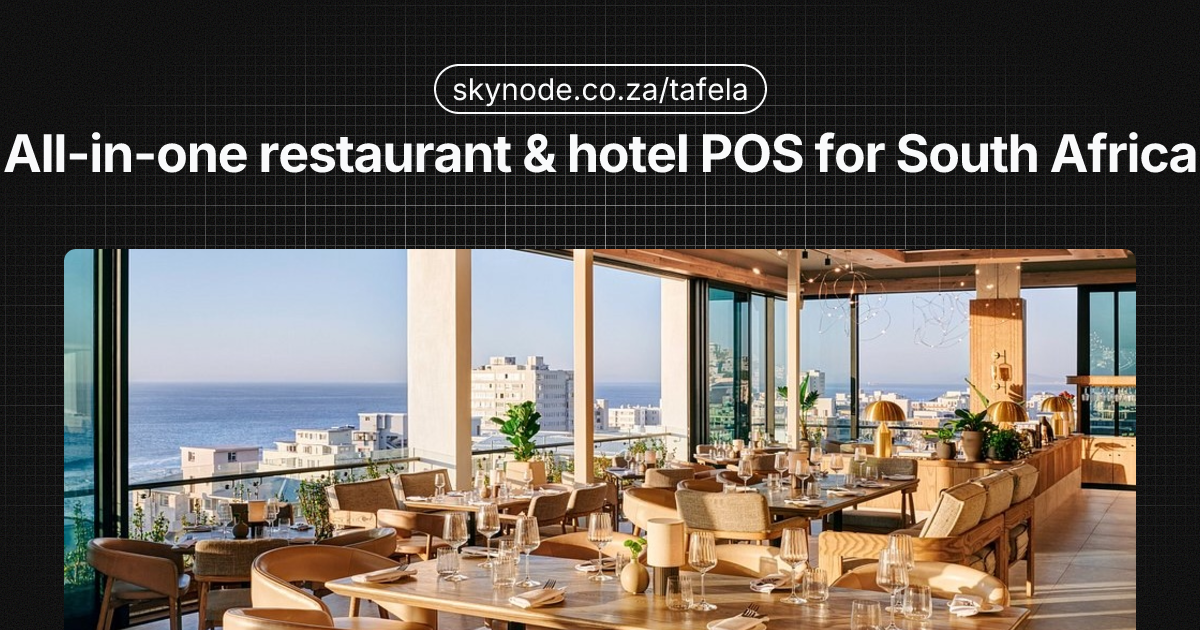
Choosing the best POS for restaurants South Africa 2026 can feel overwhelming — but getting it wrong costs you time, money, and peace of mind. A restaurant POS system South Africa operators can rely on must handle more than just taking orders: it needs to keep you trading during load-shedding, stay on the right side of SARS, and work with the payment methods your customers actually use.
South African restaurants face a unique set of challenges. Load-shedding can knock out power and internet mid-service. SARS expects proper tax invoices and VAT treatment. Customers pay with cards, SnapScan, Zapper, PayShap, and cash — and your till needs to handle all of them without friction. The right POS doesn’t just ring up sales; it keeps you compliant, resilient, and in control of your margins.
We’ve compared the leading restaurant POS systems available in South Africa in 2026, from affordable all-in-one solutions to enterprise platforms for hotel chains. Whether you run a café, a full-service restaurant, or a multi-site operation, this guide helps you narrow down the right fit. Each system is evaluated on the criteria that matter most for local operators: offline capability, SARS compliance, payment flexibility, food cost tools, kitchen display, pricing transparency, and support. Pricing and features were accurate at the time of writing; we recommend confirming with each vendor before committing, as plans and rates do change.
What to Look for in a Restaurant POS System
Before comparing specific systems, it’s worth knowing which criteria matter most for South African restaurants and hotels.
Offline mode and load-shedding resilience
When the power goes off, your till shouldn’t. A POS that works offline — syncing orders and payments when the connection returns — is essential. Look for systems that store orders locally and sync to the cloud once power and internet are back. In South Africa, load-shedding and unstable connectivity make this non-negotiable for many venues: if your POS only works when the internet is up, you’ll lose sales and create confusion every time the power drops. For more on staying operational during outages, see our restaurant load-shedding guide.
SARS compliance and tax invoicing
Your restaurant must issue SARS-compliant tax invoices. The POS should support VAT-inclusive pricing, correct tax invoice layout, and ideally link to your accounting or eFiling workflow. Skipping this can lead to audits and penalties. We break down requirements in our SARS tax invoice requirements guide for restaurants.
Payment integration (and multiple providers)
South African diners pay with cards, SnapScan, Zapper, PayShap, Ozow, and cash. A good restaurant POS integrates with at least one card terminal provider (e.g. Yoco, iKhokha) and ideally supports multiple options so you’re not locked into a single provider or rate card.
Food cost control and recipe management
Controlling food cost is how restaurants protect margin. Look for a POS that supports recipe building (ingredients linked to menu items), portion costing, and reporting that shows cost of goods sold (COGS) and gross profit by item or category. Without this, you’re guessing which dishes are profitable and which are leaking margin. A system with a proper recipe builder and COGS reporting helps you set prices, trim waste, and spot items that need repricing or portion control. For a deeper dive, read our food cost control guide for South African restaurants.
Kitchen display system (KDS)
A KDS replaces paper tickets with a screen in the kitchen, showing orders in sequence, modifiers, and timing. It reduces errors and speeds up service, especially for busy kitchens. Many affordable POS systems now include a basic KDS; if your kitchen is doing more than a handful of covers at a time, it’s worth choosing a system that supports it rather than relying on paper dockets alone.
Transparent pricing and support
Avoid surprises: look for clear monthly fees, hardware costs (if any), and payment processing rates. Some vendors quote in “per day” terms (e.g. R75/day) which can add up; convert to monthly to compare fairly. Check whether support is local, available in your language, and offered during your trading hours. A POS that goes down at 6 p.m. with no after-hours support can cost you a full evening’s revenue.
Kitchen and table management
Beyond the KDS, consider how the system handles table layout, course firing (starters vs mains), modifiers and allergies, and split bills. Full-service restaurants need table-based ordering and course management; quick-service venues may prioritise speed and simplicity over table maps.
Tafela (by Skynode)
Best for: Restaurants and hotels wanting an affordable all-in-one POS with offline mode and multi-payment support.
Tafela is Skynode’s restaurant and hotel POS, built for the South African market. It combines point of sale, kitchen display, invoicing, and reporting in one system, with a strong focus on staying operational during load-shedding and keeping you SARS-compliant.
Key features:
- Offline mode — Take orders and process payments when the internet or power is down; data syncs when connectivity returns.
- SARS-compliant invoicing — Tax invoices that meet SARS requirements, with VAT handling and audit-friendly audit trails.
- Multiple payment providers — Integrates with Yoco, iKhokha, PayShap, Ozow, and SnapScan so you can choose or combine providers. For a head-to-head on two popular options, see our Yoco vs iKhokha comparison for restaurants.
- Food cost control — Recipe builder links ingredients to menu items for portion costing, COGS, and gross profit reporting.
- Kitchen display system (KDS) — Digital order display for the kitchen with modifiers and timing.
- Digital tipping — Optional tipping flow for card and digital payments.
- Multi-site management — Central dashboard for multiple outlets, with consolidated reporting.
- Hotel PMS integration — Connects with Skynode’s hotel/guesthouse tools for properties that do both accommodation and F&B.
Pricing: R199–R999/month depending on plan and features. Transparent monthly pricing; no hidden per-transaction software fees.
Pros: Affordable entry point, works offline, supports several SA payment methods, built-in food costing and KDS, suitable for both single-site and multi-site, SARS-focused invoicing.
Cons: Newer brand than some legacy players; enterprise customisations are less common than with Oracle or GAAP.
If you’re comparing options and want a single system that covers POS, KDS, food costing, SARS invoicing, and multiple payment providers without a four-figure monthly fee, Tafela is worth a close look.
Pilot POS
Best for: Established restaurants with larger budgets who want a long-standing local provider.
Pilot has been operating in South Africa for over 30 years and is a familiar name in hospitality. The system offers a full restaurant POS suite with mobile ordering, kitchen display, and back-office tools. Many established restaurants and hotel F&B operations have grown up with Pilot, and the vendor’s long history can be reassuring if you prefer a provider with decades of local deployment and support.
Key features:
- Mobile POS — Tablets and handheld devices for order-taking at the table.
- Kitchen display system — Digital order routing to the kitchen.
- Recipe and inventory management — Recipe costing and stock tracking.
- Fingerprint security — Biometric login for staff accountability.
- Local presence — South African company with local support and deployment experience.
Pricing: Around R2,250/month (often quoted as ~R75/day). Hardware and installation are typically separate; exact costs depend on site and configuration.
Pros: Long track record in SA, mobile POS, KDS, recipe management, local support.
Cons: Higher monthly cost than many cloud POS options; less suited to very small or start-up operations.
Pilot suits operators who value a long local track record and are willing to invest in a premium monthly fee. If your budget is tight or you’re a new venue, the cost may be hard to justify compared to lower-priced cloud POS options.
Yoco POS
Best for: Small cafés and quick-service restaurants that want simple, load-shedding-resilient hardware and an easy setup.
Yoco powers over 200,000 South African businesses and is known for accessible card machines and straightforward pricing. Table by Yoco extends the offering into full table-service POS for restaurants. The brand is especially strong among small business owners who want to get started quickly with minimal upfront cost and minimal contract lock-in. If your main need is taking card payments and simple orders rather than advanced kitchen or costing workflows, Yoco is often the first name that comes up.
Key features:
- Load-shedding resilience — Devices and software designed to keep working during power outages where possible.
- Table by Yoco — Restaurant-focused POS with tables, courses, and basic kitchen workflows.
- Hardware options — Card machines from around R699 to R4,999 (one-off), plus optional tablets and stands.
- App ecosystem — Invoicing, reporting, and add-ons via the Yoco app ecosystem.
- Transparent pricing — Low monthly software fee (e.g. R49/mo on some plans) plus card rates; hardware is a separate one-off or bundle.
Pricing: From about R49/month for software, plus hardware (e.g. R699–R4,999 for card devices). Transaction fees apply on card payments.
Pros: Huge local adoption, affordable hardware, load-shedding focus, simple for small operations.
Cons: Restaurant-specific features (e.g. advanced KDS, deep food costing) are more limited than dedicated restaurant POS systems; best fit is small and QSR-style venues.
Yoco is a strong choice for cafés, food trucks, and small quick-service spots where simplicity and low upfront cost matter more than advanced kitchen or costing features. If you outgrow Table by Yoco, you can later migrate to a full restaurant POS such as Tafela while keeping your Yoco hardware for payments if the integration is supported.
iKhokha POS
Best for: SMEs that want hardware and software in one bundle, with inventory and loyalty options.
iKhokha offers card machines and POS software in tiered bundles, appealing to businesses that prefer a single provider for both payments and till. Like Yoco, iKhokha is a well-known name among South African SMEs; the difference is that iKhokha’s POS tiers are more structured around hardware-plus-software bundles, with inventory and loyalty built in. If you’re opening a new site and want one supplier to handle the terminal and the till, iKhokha is a logical option.
Key features:
- Hardware bundles — Card devices and terminals bundled with software plans.
- Inventory management — Stock tracking and basic reporting.
- Loyalty programmes — Built-in tools to run loyalty and repeat-customer campaigns.
- Tiered plans — Three main tiers with different feature sets and hardware options.
- South African focus — Local support and pricing in ZAR.
Pricing: Approximately R660–R960/month depending on tier and hardware included. Confirm current pricing and hardware options on their site.
Pros: Single provider for payments and POS, inventory and loyalty included, clear tier structure.
Cons: Fewer payment provider options than POS systems that integrate with multiple gateways; restaurant-specific features (e.g. KDS, recipe costing) are not as deep as specialist restaurant POS. For a direct comparison with another popular provider, see Yoco vs iKhokha for restaurants.
iKhokha works well if you prefer one provider for both card acceptance and till, and don’t need to shop around for multiple payment gateways. For restaurants that want to plug in Yoco, iKhokha, PayShap, and others from one POS, an all-in-one system like Tafela may offer more flexibility.
GAAP POS
Best for: Large restaurant groups and chains that need kiosks, digital menu boards, and multi-site cloud POS.
GAAP has been in the South African market for over 40 years and serves many large-scale operators. The platform is known for cloud POS, self-service kiosks, and digital menu boards. If you’re planning a QSR or fast-casual concept where customers order at a kiosk or you want dynamic digital menus that change by time of day or promotion, GAAP is one of the few local vendors with deep experience in that space. Implementation is typically project-based with dedicated support for multi-site rollouts.
Key features:
- Cloud POS — Centralised management and reporting across sites.
- Self-service kiosks — Customer-facing ordering for QSR and fast-casual.
- Digital menu boards — Dynamic menus and promotions on screens.
- Multi-site — Designed for chains and groups with many outlets.
- Enterprise support — Implementation, training, and ongoing support for large deployments.
Pricing: Quote-based. Expect enterprise-level pricing; exact costs depend on sites, hardware (kiosks, screens, terminals), and modules.
Pros: Strong for kiosks and digital menus, proven at scale, long local history.
Cons: Not aimed at single-site or small restaurants; pricing and sales process are quote-driven.
GAAP is a good fit when you’re planning kiosks, digital menu boards, or a large number of sites and need a vendor with experience at that scale. For a single restaurant or a small group, the cost and complexity are usually unnecessary.
Micros (Oracle)
Best for: Hotel chains and large enterprise operations that need OPERA integration and a wide ecosystem.
Micros (Oracle Hospitality) has been present in South Africa for around 28 years and is the go-to for many hotels and large F&B operations. Oracle Simphony is the core restaurant POS, with deep integration into OPERA (property management) and hundreds of integrations. For hotel groups that need room charges to post to the guest folio, minibar and in-room dining to flow into the same system, and a single audit trail across F&B and rooms, Micros and OPERA together are the incumbent standard. The trade-off is cost and complexity: implementation cycles are long, and the total cost of ownership is beyond what most independent restaurants or small chains would consider.
Key features:
- Oracle Simphony — Full-featured restaurant POS with tables, courses, modifiers, and kitchen workflows.
- OPERA integration — Tight link between F&B POS and hotel PMS (rooms, minibar, room charge).
- 200+ integrations — Third-party systems for reservations, delivery, accounting, and more.
- Enterprise security and compliance — Role-based access, audit trails, and compliance features for large organisations.
- Global and local support — Oracle-backed support with local implementation partners.
Pricing: Enterprise and custom pricing. Typically involves significant upfront and ongoing costs; suited to chains and large hotels.
Pros: Industry standard for hotel F&B, OPERA integration, extensive integrations, scalable and secure.
Cons: Cost and complexity are high; overkill for independent restaurants and small cafés.
Micros (Oracle) is the standard for many hotel groups and large F&B operations that need OPERA integration, strict compliance, and a global support backbone. Independent restaurants and small chains will find the cost and implementation overhead too high unless they have specific requirements only Oracle can meet.
Comparison Table: Restaurant POS Systems South Africa 2026
| System | Starting Price | Offline Mode | SARS Invoicing | Multiple Payment Providers | KDS | Food Costing | Best For |
|---|---|---|---|---|---|---|---|
| Tafela | R199–R999/mo | Yes | Yes | Yes (Yoco, iKhokha, PayShap, Ozow, SnapScan) | Yes | Yes (recipe builder) | Restaurants wanting affordable all-in-one with offline and multi-payment |
| Pilot POS | ~R2,250/mo | Varies | Yes | Depends on setup | Yes | Yes (recipe management) | Established restaurants with bigger budgets |
| Yoco POS | R49/mo + hardware | Resilient | Basic | Yoco-focused | Limited (Table) | Limited | Small cafés and QSR |
| iKhokha POS | R660–R960/mo | Varies | Yes | iKhokha-focused | Varies by tier | Inventory | SMEs wanting hardware + software bundles |
| GAAP POS | Quote-based | Cloud-dependent | Yes | Depends on integration | Yes | Yes | Large groups, kiosks, digital menus |
| Micros (Oracle) | Enterprise | Yes (deployment-dependent) | Yes | Via integrations | Yes | Yes | Hotel chains and enterprise F&B |
Pricing and features may change; confirm with each vendor for your specific requirements.
Quick take: If you need offline mode, SARS-compliant invoicing, and multiple payment providers (Yoco, iKhokha, PayShap, Ozow, SnapScan) in one system at a low monthly cost, Tafela and Yoco sit at the affordable end — with Tafela offering deeper restaurant features (KDS, food costing, multi-site). Pilot and iKhokha suit operators who want a known brand and bundled hardware; GAAP and Micros suit large groups, kiosks, and hotel chains. Use the table to filter by the columns that matter most to you, then demo the two or three that fit.
How to Choose the Right POS for Your Restaurant
Use this framework to narrow down your choice:
- Budget — Decide your monthly software budget and whether you need to buy or lease hardware. Low-cost options (e.g. Tafela, Yoco) suit start-ups and single sites; Pilot, GAAP, and Micros suit larger budgets and multi-site. Don’t forget to add payment processing fees and any one-off hardware or setup costs when comparing total cost of ownership.
- Load-shedding and connectivity — If you frequently trade without stable power or internet, prioritise systems with proven offline mode and local sync (e.g. Tafela, Yoco’s resilient hardware). Ask vendors: “If the power and internet drop for 30 minutes during lunch, can I still take orders and take payment?” and get a clear answer. Our restaurant load-shedding guide has practical tips for staying operational.
- Payments — List the methods you need (card, SnapScan, PayShap, Ozow, cash). If you want to compare or switch providers, choose a POS that supports multiple payment integrations. Locking into a single gateway can leave you stuck with uncompetitive rates or limited terminal choice.
- Compliance — Ensure the system produces SARS-compliant tax invoices and fits your accounting process. See our SARS invoicing guide for restaurants for requirements. Non-compliant invoices can cause problems during audits or VAT submissions.
- Operations — Single café vs multi-site, QSR vs full service, and whether you need KDS, recipe costing, or hotel PMS integration will steer you toward different products. Write down your top five workflows (e.g. “split bill by item”, “send order to kitchen with modifiers”, “track food cost per dish”) and check that each shortlisted POS supports them.
- Support — Prefer a provider with local support, clear SLAs, and availability when you’re open. A POS that only offers email support or overseas call centres can slow you down when you need a fix during service.
Frequently Asked Questions
How much does a restaurant POS cost in South Africa?
Restaurant POS costs in South Africa vary widely. Software-only plans can start from around R49–R199/month for basic or small-venue use, with mid-tier all-in-one systems often between R199–R999/month. Premium and enterprise systems (e.g. Pilot, GAAP, Micros) can run from roughly R2,000/month to custom enterprise pricing. Hardware (tablets, card machines, KDS screens) is often a separate one-off or monthly cost. Always factor in payment processing fees on top of software and hardware. Some vendors bundle hardware into a monthly rental; others sell or lease it separately. When comparing, work out the total cost over 12–24 months including software, hardware, and card fees so you’re comparing like with like.
What POS system works offline during load-shedding?
Systems that store orders and transactions locally and sync when the connection returns will keep you trading during load-shedding. Tafela is built with offline mode for orders and payments. Yoco hardware is designed for resilience during power outages. Pilot, iKhokha, GAAP, and Micros support offline or partial-offline operation depending on configuration — confirm with each vendor. For practical tips, see our restaurant load-shedding guide.
Do I need SARS-compliant invoicing for my restaurant?
Yes. South African businesses that supply taxable goods or services must issue tax invoices that meet SARS requirements (e.g. VAT number, correct layout, tax amounts). Your POS should support SARS-compliant tax invoices and ideally integrate with your accounting or eFiling workflow. For details, see our SARS tax invoice requirements for restaurants.
Should I choose a POS that supports multiple payment providers?
It can be very useful. Supporting Yoco, iKhokha, PayShap, Ozow, SnapScan, or others in one POS gives you flexibility on rates and terminal choice, and reduces reliance on a single provider. Not all systems support multiple providers; if this matters to you, check integration options before committing. Systems like Tafela are built to work with several payment providers from one till, so you can keep existing terminals or switch providers without changing your whole POS. Single-provider setups (e.g. Yoco-only or iKhokha-only) are simpler to set up but lock you into one gateway’s rates and hardware.
Which restaurant POS is best for multiple locations?
Multi-site features vary by system. Tafela, GAAP, and Micros are built for centralised multi-site management and reporting. Pilot and iKhokha can support multiple locations depending on plan. Compare central reporting, user and role management, and per-site vs group reporting to see which fits your structure. If you’re planning to add sites in the next 12–24 months, choose a system that scales without forcing a full migration later.
Can I use my existing card machine with a new restaurant POS?
It depends on the POS. Some systems (e.g. Tafela) integrate with multiple providers, so you may be able to keep your current Yoco or iKhokha terminal and connect it to the new software. Others require their own hardware or a specific partner device. Always confirm compatibility before switching. If you’re moving from a payment-only setup (e.g. a Yoco or iKhokha terminal with no full POS) to a full restaurant POS, ask whether the new software can use your existing device — it often can when the POS supports that provider’s API or integration.
Conclusion
The best restaurant POS system South Africa offers in 2026 depends on your size, budget, and how much you rely on offline trading, SARS compliance, and multiple payment methods. Affordable all-in-one options like Tafela suit restaurants and hotels that want offline mode, multi-payment support, food costing, and KDS without high monthly fees. Yoco and iKhokha appeal to smaller venues and those who want simple hardware bundles. Pilot fits established restaurants with larger budgets; GAAP and Micros suit chains and enterprises with kiosk, digital menu, or hotel PMS needs.
No single system is best for everyone. A busy café with one till and a focus on card payments may be perfectly served by Yoco. A full-service restaurant that needs offline capability, SARS-ready invoices, and food cost control will likely get more value from a dedicated restaurant POS like Tafela. Large groups and hotels will continue to lean on Pilot, GAAP, or Micros for scale and integration.
Use the comparison table and decision framework above to shortlist two or three systems. Request demos or trials, and if possible run a test period during your quietest week so you can stress-test offline mode, payment flows, and reporting before going live. The right choice will save you time, keep you compliant, and help you protect your margins. If you’re leaning toward an affordable all-in-one that handles offline trading, SARS invoicing, multiple payment providers, and food cost control in one place, Tafela is built for exactly that — and you can get started from R199/month without long-term lock-in.
Ready to try Tafela? Get started from R199/mo.
E ngwadilwe ke
Skynode Team